
Write a long document (master & sub-files)
For a thesis or a long paper, you split the document into several files: a master document (with the preamble and \begin{document}) that includes the chapters via \input{…}. On Sarmate, you can edit one chapter and compile the whole document, without switching files.
Where to click
- Create a master file (e.g.
main.tex) with your preamble, and chapter files included via\input{chapter1}. - Open a chapter and click “Compile”. Since the chapter has no
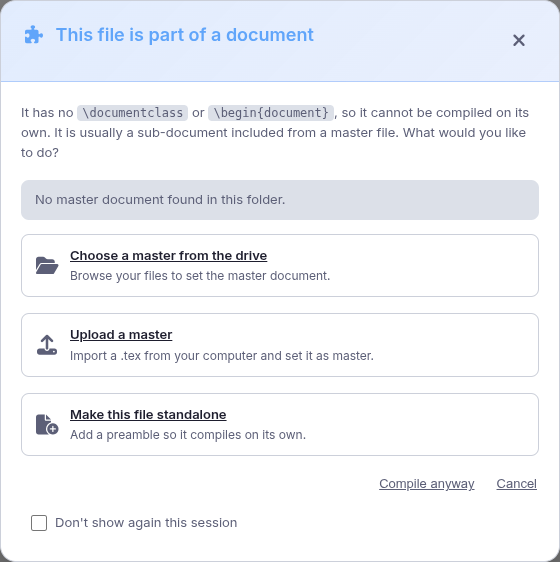
\documentclass, Sarmate opens a dialog. - Pick an option: “Choose a master from the drive”, “Upload a master”, or “Make this file standalone”.
- Once the master is set, Sarmate adds a
% !TEX root = main.texline at the top of the chapter. From now on, compiling the chapter compiles the whole master and shows its PDF.
Change or remove the master later
The link is a simple
% !TEX root = … line at the top of the file (the TeXstudio/VS Code standard). Edit it to point to another master, or delete it to make the file independent.