
Compare two versions of your document
Sarmate can generate a PDF of the changes between an older version of your document and the current one: additions in blue underline, deletions struck through in red. Perfect to answer a reviewer or show a co-author what changed. Under the hood, Sarmate uses latexdiff.
Where to click
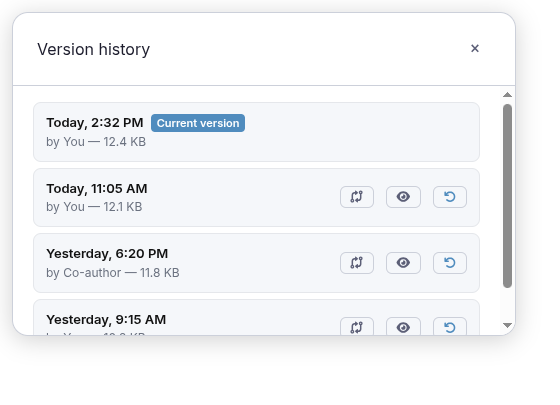
- Top right of the toolbar, click the clock icon (Version history).
- Find the version to compare (any version other than the current one).
- Click “Compare” — the first of the three icons on the row.
- Sarmate compiles the changes preview: blue = added, red struck through = removed.
- To return to your document, just click “Compile”.
Your document is not modified
The comparison is only a preview. Your file stays intact; just recompile to go back.